
When creating a cash or security reserve for an account, you can add a recurrence using the Add Recurrence link. This settings allows you to manage cash needs for your client by setting aside cash in an account reserve on an ongoing basis.
After you select Add Recurrence, the following options become available:
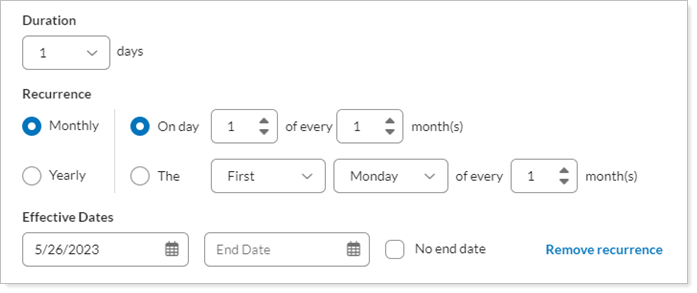
| Setting | More Information |
|---|---|
| Duration |
Choose the number of days you want to keep the reserve. Tamarac Trading will keep it until midnight of the last day of the duration period you choose. |
| Recurrence Type |
Choose your preferred recurrence type:
|
| Start |
Enter the start date for the reserve. Select the calendar icon. In the calendar that appears, select the start date. If you do not specify a start date, the start date will take effect immediately. |
| End |
Enter the "effective to" date for the reserve. To choose a specific date, click the calendar icon. In the calendar that appears, click the end date for the reserve. If you do not specify a date in this box, the reserve will always be applied. To keep the recurrence going forever, choose No end date. |


For more information about cash and security reserves, see Cash Management Strategies.