
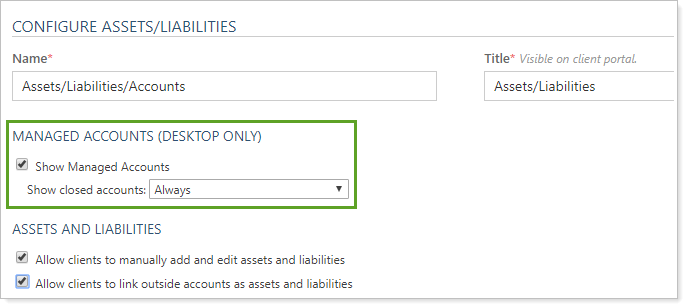
Use this client views setting to include managed accounts on the Assets/Liabilities client portal desktop app. This option does not apply to the mobile app.
When you select this check box, you can further configure whether the page includes closed accounts.
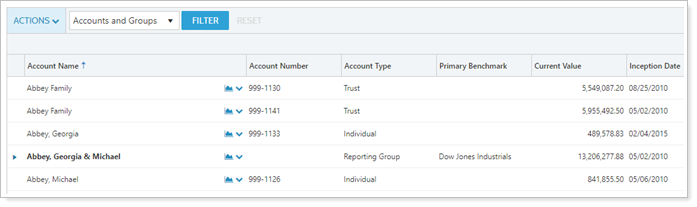
Let's take a look at how the different settings work. We'll use Georgia and Michael Abbey as an example. When Georgia and Michael look at their client portal Accounts page, they see:
They also have a number of balance-only linked accounts and manually entered assets and liabilities. Here's what Georgia and Michael see for each setting configuration.
Show Managed Accounts
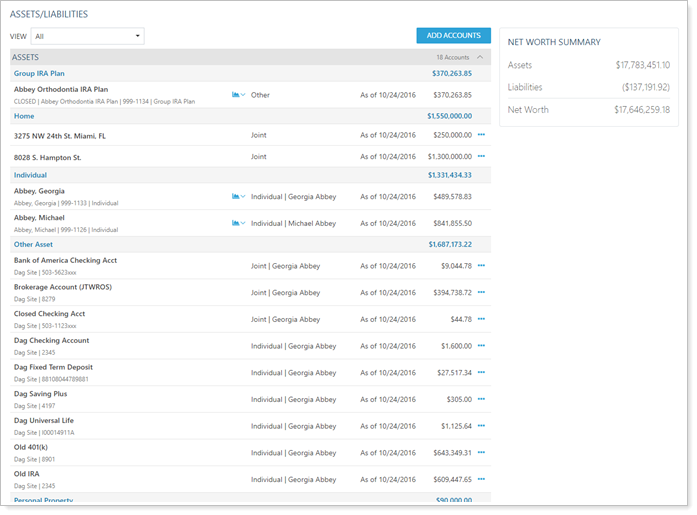
Managed accounts Selected:
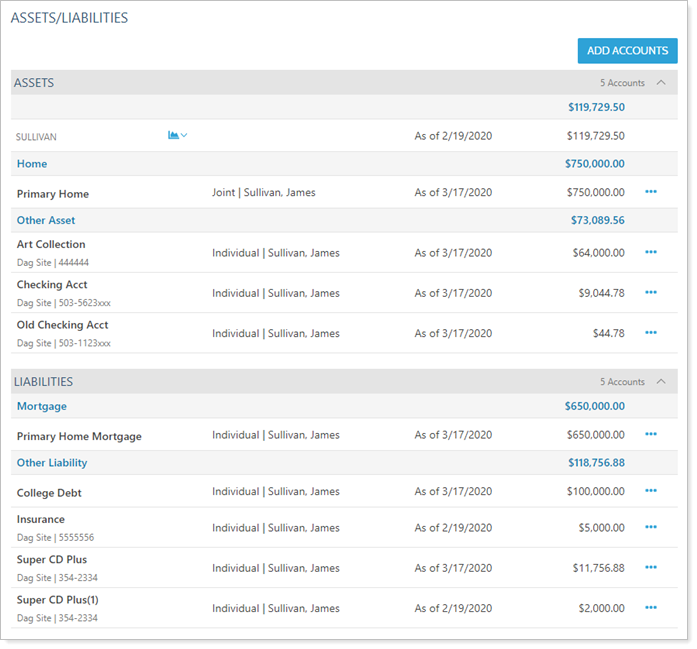
When Georgia and Michael view the Assets/Liabilities page, they see all the accounts from the Accounts page as well as manual assets and liabilities and balance-only linked accounts.
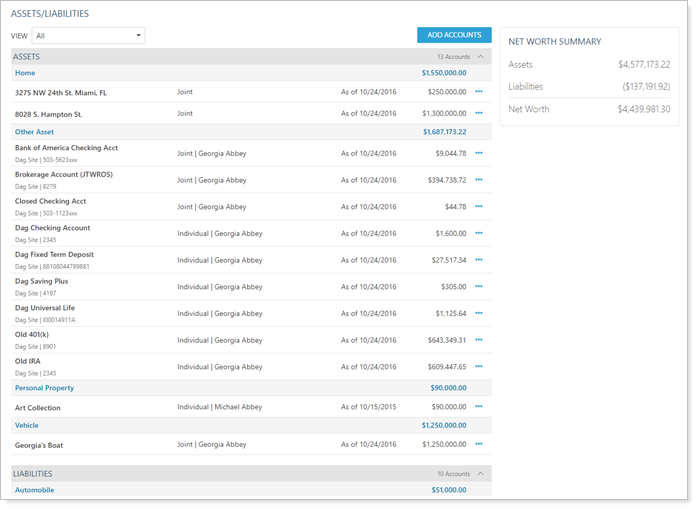
Managed accounts Cleared:
When Georgia and Michael view the Assets/Liabilities page, they see only manual assets and liabilities and balance-only linked accounts.
Accounts and Groups/Groups Only - EXCLUDED - UPDATE FOR GEORGIA/MICHAEL ABBEY IF NECESSARY
Accounts and Groups Selected:
When James and Carol view the Assets/Liabilities page, they see all the accounts from the Accounts page as well as manual assets and liabilities and balance-only linked accounts.
Groups Only Selected
When James and Carol view the Assets/Liabilities page, they see the group from the Accounts page as well as manual assets and liabilities and balance-only linked accounts.
Show Closed Accounts
For more information about including closed accounts, see Show Closed Accounts.
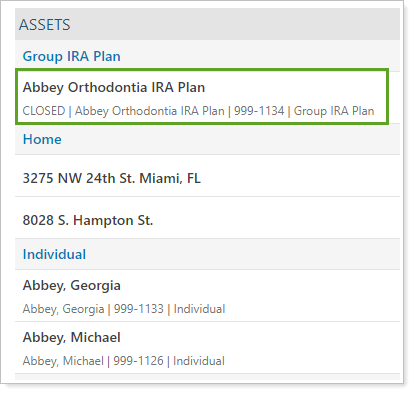
Show Closed Accounts: Always
The page displays a closed IRA in the list of financial accounts.
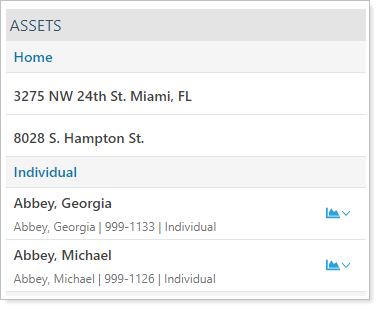
Show Closed Accounts: Never
The page displays only open accounts in the list of financial accounts.
Show Closed Accounts: Only as members of a group
N/A - not including groups at this point
For more information about the client portal Assets/Liabilities page, see Client Views - Assets and Liabilities Page.
The following related links may be helpful: