
Contents
Introduction
Tamarac offers multiple ways to communicate with clients across CRM and Reporting. You can determine which tools you want to leverage based on your communication goals, tracking needs, and whether you need to reference CRM data.
This article covers more information on the communication methods across Tamarac Reporting and CRM.
Tamarac Reporting
Tamarac Reporting can support your client communication through announcements and emails in the Client Portal.
You might choose Tamarac Reporting when you:
-
Need to post a short announcement or status update.
-
Want to notify clients that a document is available in their portal.
-
Do not need to reference CRM account, contact, or lead data or create activities in CRM.
If you plan to leverage Reporting for communications, determine when it's best to use Announcements versus Emails.
Announcements
Announcements in Tamarac Reporting allow you to post news, updates, or reminders that appear as notifications in the Client Portal.
You can use announcements for:
-
Out-of-office messages.
-
Market closures or firm-wide notices.
-
Letting clients know a document has been posted.
You can additionally choose whether to give your clients permission to delete announcements.
For more information, see Client Portal Announcements.
Notification Emails
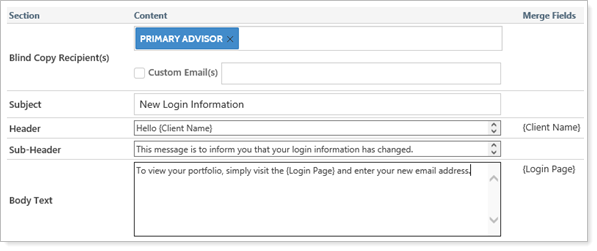
Notification emails in Tamarac Reporting allow you to alert clients when documents are posted to their portal or when you've reset their portal password.
To send a notification email, in the Post Document window, select Send an email to the client.
For more information, see Customize the automated emails that advisor view sends.
Tamarac CRM
Tamarac CRM can support your client communication through emails or letters using CRM record data and automatic activity tracking.
You might choose Tamarac CRM when you:
-
Need to reference data from CRM accounts, contacts, or leads.
-
Want to create and track activities in CRM based on communications.
-
Want to create and print letters based on CRM data.
-
Need more control over message personalization and attachments.
-
Do not need to reference Reporting data, unless its from integrated records or fields.
If you plan to leverage CRM for communications, determine when it's best to use Quick Campaigns versus Direct Emails.
Quick Campaigns
Quick Campaigns in Tamarac CRM on account, contact, or lead records allow you to create and track bulk communication.
You can use Quick Campaigns to:
-
Send emails with attachments.
-
Automatically create activities in CRM.
-
Track which recipients did or did not receive an email.
-
Create bulk activities for emails sent through external marketing tools.
Note
Activities created via a Quick Campaign will be regarded to the Quick Campaign record in CRM, and will also be related to the records used when creating it.
For example, emails created via a Quick Campaign will be related to the contacts, but show the Quick Campaign in the Regarding field.
Direct Emails
Direct Emails in Tamarac CRM on contact or lead records allow you to send a one-time emails using email templates.
You can use Direct Emails to:
-
Send emails with attachments.
-
Automatically create activities in CRM.
Note
Direct Emails are sent immediately and cannot be previewed. We recommend creating a contact in CRM with your personal email address to ensure accuracy before emailing clients.
For more information, see Start a Direct Email.