
Contents
Introduction
UNABLE TO UPDATE (NO ACCESS)
The integration between Laserfiche and Tamarac CRM allows for easy access to Laserfiche from Tamarac CRM.
Clicking Laserfiche button on accounts, contacts, and leads will provide full access to the client’s corresponding documentation stored in Laserfiche. This integration uses web access functionality to upload or scan in documents, export electronic files and briefcases, create files and folders, and edit template data.
The Administration Configuration Page allows for mapping between Laserfiche template fields and the fields in Tamarac CRM to optimize the searching within Laserfiche. If the contact folder structure does not exist in Laserfiche you can upload different Laserfiche briefcases per account, contact and lead to create the specific subfolder structures you want. This ensures that you will be able to find and/or create the appropriate contact within Laserfiche through the integration with Tamarac CRM.
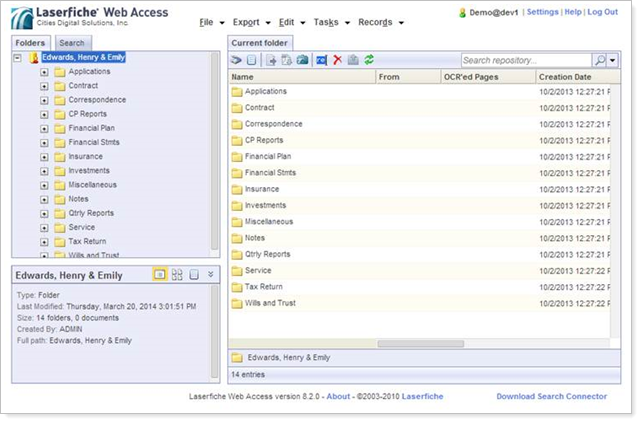
Accessing Laserfiche from Tamarac CRM
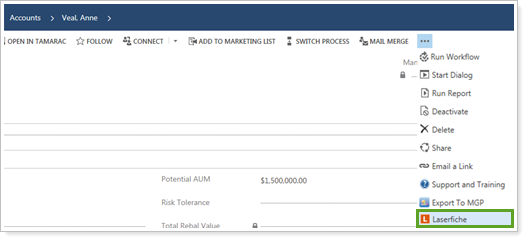
To access the Laserfiche integration, open the account, lead or contact where you want to access the Laserfiche integration. At the top of the page, click ... and then click Laserfiche.
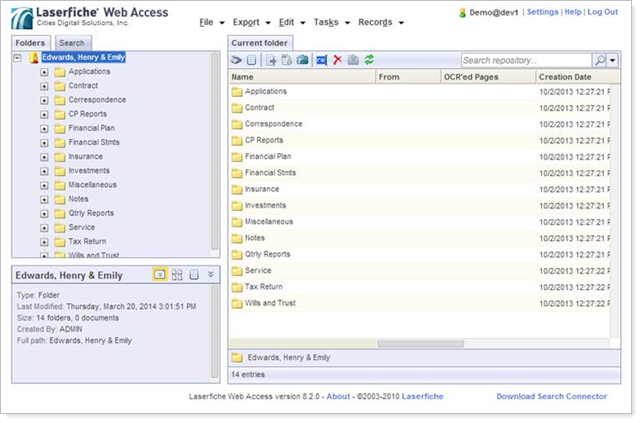
This will open Laserfiche as a new window and bring you directly to the client’s folder. You will be able to navigate and access the documents stored directly in Laserfiche from here.
Integration Requirements
You will need to have Laserfiche and Tamarac CRM installed. The integration is enabled by an add-on created by our partner, Cities Digital, and requires your firm to have web access for your Laserfiche instance.
If you are onboarding, let your Consultant know you’re interested in setting up the integration with Laserfiche. If you are out of implementation, please contact your Tamarac service team.
Additional Laserfiche Details
Cities Digital will provide additional information on the integration and set up required on their end. This includes:
-
User Demo and Installation Instructions
-
Administration configuration options page to map Tamarac CRM attributes to Laserfiche template fields to optimize searching.
Please contact your Cities Digital Account Representative for more information about the Cities Digital’s Laserfiche integration for Tamarac CRM.