
Contents
Introduction
Mailchimp allows you to automate your email marketing activities, including the delivery of marketing emails, automated messages, and targeted campaigns.
With the Mailchimp integration and Tamarac Power Automate flow templates, you can sync your marketing lists between Tamarac CRM and Mailchimp. This helps to eliminate the need to manually maintain separate lists in each application and to ensure that your contact information remains up to date across both platforms.
This topic covers more information about enabling and using the Mailchimp Power Automate flow templates.
Enablement
To use this integration, you must set up at least one of the Power Automate flows and enable the integration in Tamarac CRM.
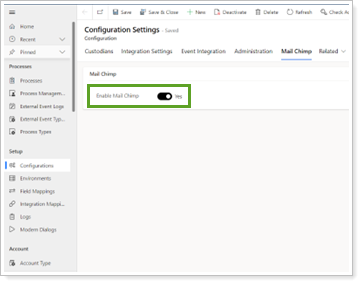
For more information, see Enable and set up the Mailchimp integration.
Use available Mailchimp Power Automate flow templates
You can take advantage of Tamarac flow templates to share key contact information between CRM and Mailchimp to streamline your marketing workflows and minimize data entry.
If you turn on a Tamarac template directly and update it, your changes may be overwritten in future releases since it is part of the managed solution. To customize the flow, you can make a copy of the template. For more information, see Enable Power Automate Flows.
You can use the following Tamarac templates for Mailchimp:
| Power Automate Flow Name | When to use | power Automate Flow Automation | Help center Page |
|---|---|---|---|
| TamTemplate - Mailchimp New Marketing List Created In Dynamics Flow |
Use this flow when you want to create a Mailchimp audience record that links to your new CRM marketing list. This prepares the list for contact syncing in the next step using the TamTemplate - Mailchimp Link and Sync Marketing List Members to Audience flow. |
When you trigger the flow, it creates and links an empty Mailchimp audience with the same sender details and list information from CRM.
If you trigger this flow for existing marketing lists in CRM, it will review Mailchimp to create and link empty audience records if they don’t already exist. |
Sync new CRM marketing lists to Mailchimp with Power Automate |
| TamTemplate - Mailchimp Link and Sync Marketing List Members to Audience |
Use this flow when you need to sync contacts from a CRM marketing list to members from a Mailchimp audience in the following scenarios:
|
When you trigger the flow, it will review CRM and Mailchimp and take action accordingly:
|
Link and sync existing marketing lists to Mailchimp with Power Automate |
| TamTemplate - Mailchimp Initial Sync List and Members to Dynamics Marketing Lists |
Use this flow when you have multiple audiences in Mailchimp and want to have CRM create identical marketing lists. |
When you trigger the flow, it syncs existing Mailchimp audiences to CRM and creates new identical marketing lists. | Sync Mailchimp audiences to CRM marketing lists with Power Automate |
Sync data between Mailchimp and CRM
The flows will push or pull contact data to or from CRM to Mailchimp. Tamarac CRM only shares contact data with Mailchimp and does not include any account or lead data in the sync.
Once the desired flows are enabled, to sync data between CRM and Mailchimp, you must manually trigger each flow with the following actions:
| Power Automate Flow | Action | Tamarac CRM | Direction | Mailchimp |
|---|---|---|---|---|
| TamTemplate - Mailchimp New Marketing List Created In Dynamics Flow |
Set Synchronize to Mail Chimp option to Yes for a new marketing list in CRM. |
The flow pushes the following CRM fields from the existing marketing list to Mailchimp:
|
|
The flow creates a new audience with the following identical CRM fields:
|
| TamTemplate - Mailchimp Link and Sync Marketing List Members to Audience |
Select Sync Members from an existing marketing list in CRM that is either:
|
The flow pushes the following CRM contact fields from the existing members of the marketing list to Mailchimp:
|

|
The flow creates new or updates existing contacts with the following identical contact fields from the CRM marketing list:
|
| TamTemplate - Mailchimp Initial Sync List and Members to Dynamics Marketing Lists |
An Administrator runs the flow in Power Automate. |
The flow reviews CRM contact information and syncs data accordingly:
|

|
The flow pushes the following Mailchimp fields to a new marketing list in CRM:
|
Note
Consider the following whenever you update contact information in Tamarac CRM:
-
If you update a contact record in CRM and a matching contact exists in Mailchimp, you must manually trigger the data sync from the marketing list.
-
If you remove a contact in CRM that was synced to a Mailchimp audience, you must remove the contact directly from Mailchimp.
Use the New Marketing List Created In Dynamics Flow
When the integration is enabled, the marketing list in CRM can be pushed to Mailchimp with the related contacts.
Before You Start
To start the process, the following must be true:
-
The TamTemplate - Mailchimp New Marketing List Created In Dynamics Flow flow is activated.
-
The Mailchimp integration is enabled in Tamarac CRM.
-
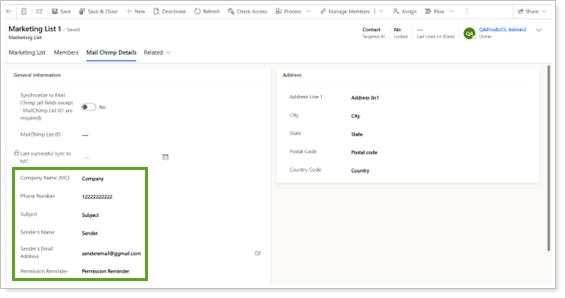
All fields contain values except MailChimp List ID and Last successful sync to MC.
-
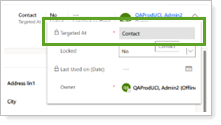
The marketing list has Targeted At set to Contact.
Link a Marketing List to an Audience
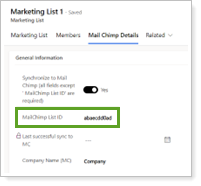
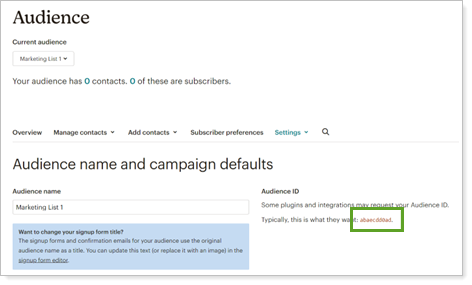
When the Synchronize to Mail Chimp toggle is on and you save a record, the TamTemplate - Mailchimp New Marketing List Created In Dynamics Flow is triggered. In Power Automate, the 28 day run history section shows the session.
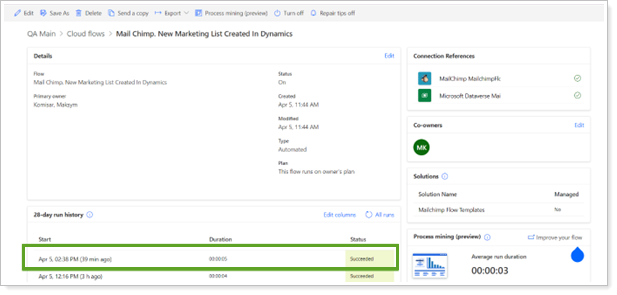
When complete, you'll see the following after you refresh the page:
-
In Tamarac CRM, the marketing list receives the MailChimp List ID from Mailchimp. This means that the marketing list has been integrated.
-
In Mailchimp, the Audience is created and has the matching Audience ID.
Use the Sync Members from Marketing List in Dynamics to MC Flow
Once the marketing list has a Mailchimp List ID, you can push the related contacts to Mailchimp.
Before You Start
To start the process, the following must be true:
-
The TamTemplate - Mailchimp Link and Sync Marketing List Members to Audience flow is activated.
-
The Mailchimp integration is enabled in Tamarac CRM.
-
The marketing list contains the MailChimp List ID value. This comes in when you first run the TamTemplate - Mailchimp New Marketing List Created In Dynamics Flow.
-
The marketing list has Targeted At set to Contact.
-
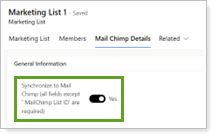
The marketing list has Synchronize to Mail Chimp set to Yes.
Send Tamarac CRM Contacts to Mailchimp
Notes
-
You must trigger the data sync manually when contact records change in Tamarac CRM. If a matching contact already exists in Mailchimp, the sync will update the record.
-
Removing a contact in Tamarac CRM does not remove it from the Mailchimp audience even if you run a sync. You must remove it in Mailchimp.
-
Tamarac CRM only pushes contact records to Mailchimp. The data push does not include related accounts or leads.
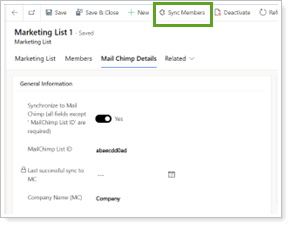
To send the contacts from a marketing list in Tamarac CRM to Mailchimp, in the marketing list, select Sync Members.
When you trigger a sync, the TamTemplate - Mailchimp Link and Sync Marketing List Members to Audience flow in Tamarac '
CRM sends the following contact information to Mailchimp:
- First Name
- Last Name
- Email Address 1
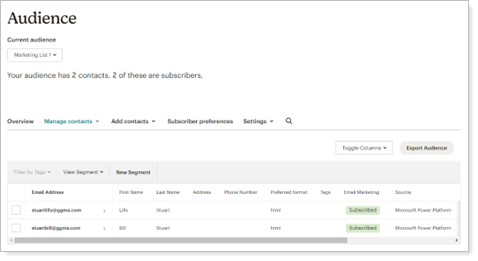
Ensure that the contact record includes this data before triggering a data push. When complete, the Tamarac CRM contacts appear as audience contacts in Mailchimp.
Use the Initial Sync List and Members to Dynamics Marketing Lists Flow
You can use this Mailchimp integration to create marketing lists with the related contacts in CRM based on the audiences in Mailchimp.
Before You Start
To start the process, the following must be true:
-
The Tamtemplate - Mailchimp The Initial Sync List and Members to Dynamics Marketing Lists flow is activated.
-
The Mailchimp integration is enabled in Tamarac CRM.
Sync Audience Members from Mailchimp With a Marketing List in Tamarac CRM
Note
Only an Administrator user can trigger this flow.
To create a marketing list in Tamarac CRM based on a Mailchimp audience, in the Maker Portal, for the TamTemplate - Mailchimp Initial Sync List and Members to Dynamics Marketing Lists flow, select Run.

The flow creates the marketing list in Tamarac CRM with related contacts that have identical attributes from all MailChimp audiences.
-
If a contact in Tamarac CRM has the same email as a record from Mailchimp, it will be related to the marketing list.
-
If no matching email exists, the flow creates and relates a new contact.
When you run this flow, marketing lists can be created even if the list with the same MailChimp List ID already exists in CRM.
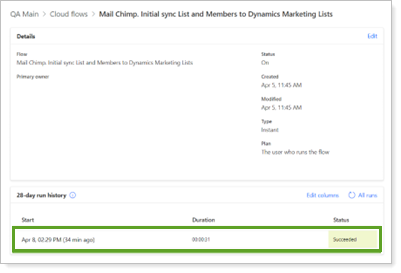
You can see the execution result in Power Automate under the 28 run day history section.
OLD CONTENT - HIDDEN FROM PROD
Power Automate Flows for MailChimp
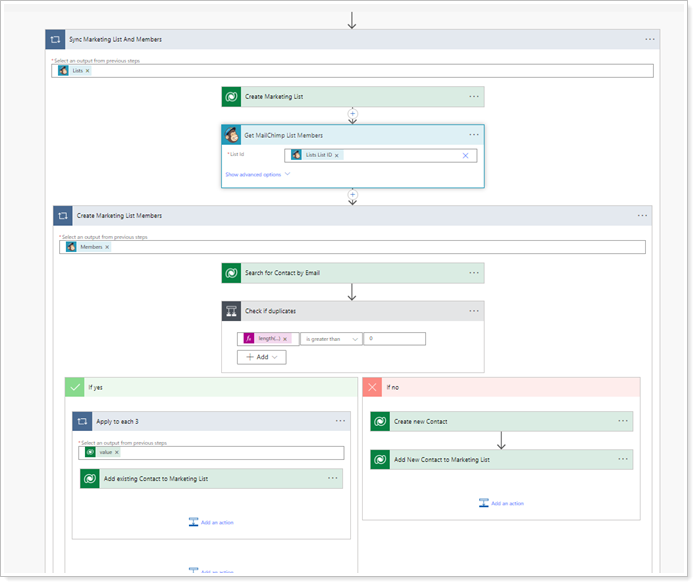
Get MailChimp List Members
Adds a contact to the Marketing list in Tamarac CRM when you add a contact to the corresponding MailChimp Marketing list. If the contact does not exist in Tamarac CRM, a MailChimp will create a new Contact Record is created and add it to the Marketing list.
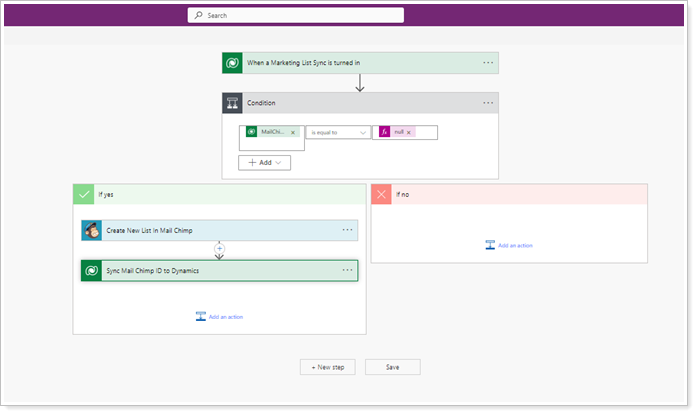
Create New List in MailChimp
Creates a matching marketing list in the MailChimp application for Dynamics 365 and links it to the Tamarac CRM Marketing list.
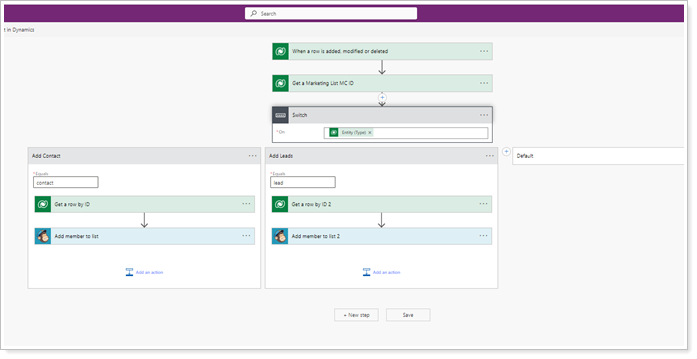
Add Member to list
Adds a member to the MailChimp Marketing List when you add them to the corresponding Contact or Lead based Tamarac CRM Marketing list.
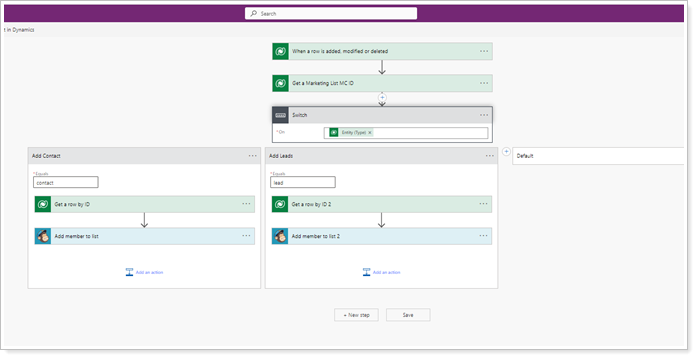
Remove Member from list
Removes a member from the MailChimp Marketing List when you remove them from the corresponding Contact or Lead based Tamarac CRM Marketing list.
For more information regarding MailChimp, click here.