
QUESTION
How do I set up a data feed for my529 Advisors?
ANSWER
To set up a data feed for my529 Advisors, follow these steps:
- Ask the firm to contact my529 Advisors and request that the applicable accounts flow through the Tamarac/Envestnet vendor.
- Sign in to my529 Advisors.
- Add the interface and post the available data.
| Note: | The firm will need to be sure that they have a Limited Power of Attorney for the accounts that they wish to integrate. When on the company website or speaking to a representative, the firm should be sure to add Tamarac as a vendor. This is a global login. The firm does not need to provide us with credentials, as we download all files for all firms from one login. |
Troubleshooting:
If accounts have been added to my529Advisors but are not being downloaded, follow these steps to make sure all accounts are set up to export data:
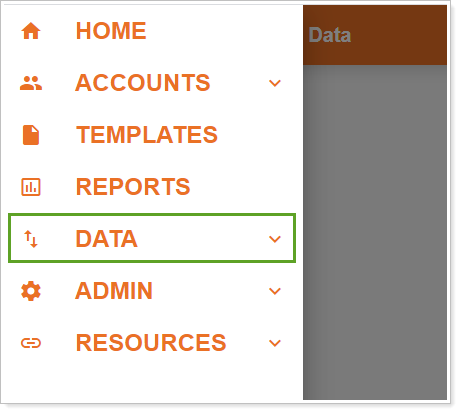
- In my529 Advisors, in the upper left menu, click Data.
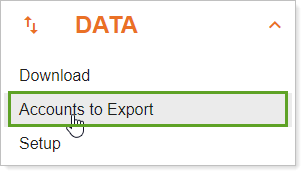
- Click Accounts to Export.
- Select All Accounts or Select Specific Accounts, as applicable.
APPLIES TO
- Tamarac Services