
Contents
Report Studio
Updates for Committed Capital data points and groupings
What's changing
Turn client meetings into more informed, insight-driven conversations with new Committed Capital data points and grouping options in Report Studio. This release gives you a more complete view of alternative investment performance and capital commitments, so you can access key metrics and organize investment data more effectively for client presentations.
Data changes
With this release, you can include the following new Committed Capital data points to Report Studio reports:
-
MOIC (unrealized)
-
MOIC (realized)
-
Total Value to Date
-
Committed Capital
-
Subscriptions
The following data points changed slightly:
-
Remaining Capital: Updated the calculation so closed positions show a zero balance and negative values do not appear.
-
Last Valuation Value: Now matches the market value from the most recent snapshot date and excludes fees or other non-market entries.
Additional report enhancements
You’ll also notice the following enhancements:
-
Group reports by Vintage Year. Organize reports by Vintage Year to compare investment performance across time periods.
-
Include commitments in subtotals and totals. Committed Capital and Subscriptions now appear in subtotal and total rows when a position in the group includes relevant data.
Why you'd use it
Use these updates to create clearer, more precise reports for clients with private equity or other capital-committed investments. Show realized and unrealized multiples, highlight the value generated over the life of an investment, and group by Vintage Year to compare older commitments with newer ones. These changes help enhance your Report Studio reporting for complex closed or partially funded positions.
How to get started
No action is needed. These changes will apply after the release.
Additional information
For more information, see Committed Capital Securities.
Tamarac Makeover Updates
What's changing
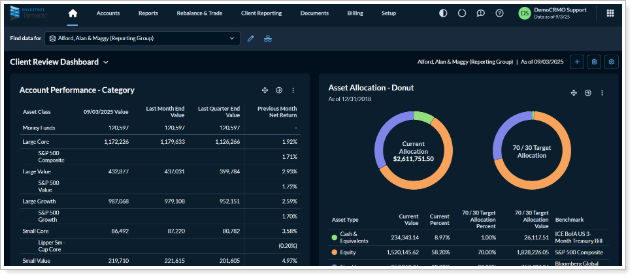
As part of the ongoing Tamarac Makeover initiative, we are pleased to announce the latest enhancement which includes the availability of dark mode. This release includes the following:
Dark Mode
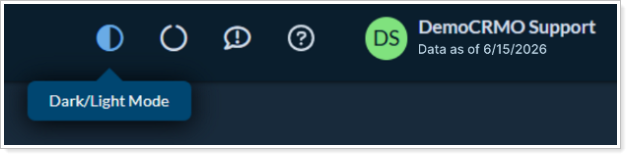
Following our release, you will be able to see and utilize the dark mode toggle in the upper right-hand corner of the platform menu bar. This will allow you to switch between dark mode and light mode, depending on your visual preference.
Why you'd use it
These enhancements modernize the look and feel of Tamarac pages across the platform, delivering a more consistent and intuitive experience.
How to get started
No action is needed. These changes will apply after the release.
Additional information
For more information, see:
Platform Improvements and Performance Enhancements
| improvement made | type of improvement |
|---|---|
| We improved the way we get realized gains and losses information from custodian partners into Tamarac. Now, the process is faster, allowing you to see the data sooner in the day. | Data |