
Contents
|
Choose how to communicate with clients |
Introduction
Effective client communication can play an important role in supporting your practice.
Tamarac provides tools across CRM and Reporting that support client communication and documentation—for example, sending emails, sharing information through the Client Portal, and recording external interactions—based on your goals and tracking needs.
This article provides an overview of client communication across CRM and Reporting and includes linked articles with more information.
Verify email settings in CRM
To send emails from Tamarac CRM, you must confirm that CRM is permissioned to send emails using Outlook. This configuration is required to ensure successful email delivery.
To verify email settings in CRM:
-
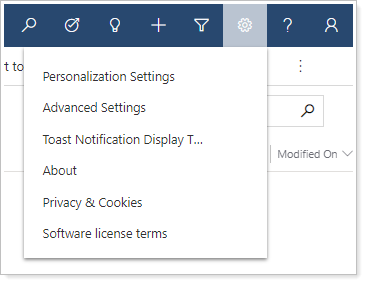
In Tamarac CRM, select Personalization Settings.
-
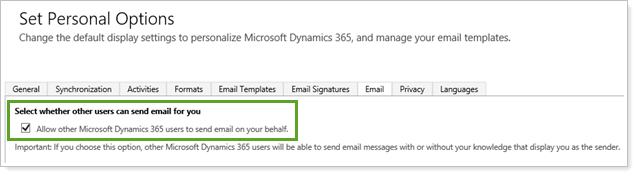
Select the Email tab.
-
Verify that Select whether other users can send email for you is selected. If not, select it and choose Save.
Choose how to communicate with clients
Tamarac offers multiple ways to communicate with clients across CRM and Reporting, depending on whether you're looking for solutions like activity tracking, personalization, attachments, or portal‑based notifications.
This table outlines the available communication tools across Tamarac Reporting and CRM.
| Communication tool | Where | when to use |
|---|---|---|
| Announcements |
Tamarac Reporting |
Share firm updates, reminders, or short notices with clients through the Client Portal. For more information, see Client Portal Announcements. |
| Notification emails |
Tamarac Reporting |
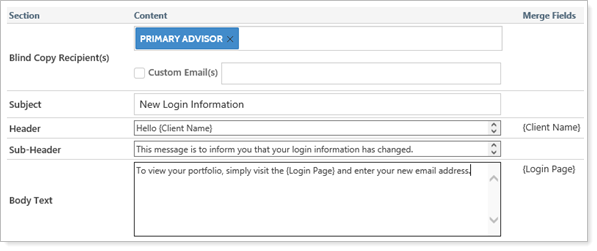
Notify clients when documents are posted or their portal password is reset. For more information, see Customize the automated emails that advisor view sends. |
| Quick Campaigns |
Tamarac CRM
|
Send bulk emails with attachments and automatically track communication activity. |
| Direct Emails |
Tamarac CRM
|
Send a one-time email using a template and automatically track communication activity. For more information, see Start a Direct Email. |
For an overview of available communication options and when to use each, see Options for client communication.
Manage recipients and mailing data
Target the right clients and keep contact information up to date to support effective communication.
In Tamarac CRM, you can leverage the following features:
-
Marketing lists. Identify which clients should receive specific communications or campaigns. For more information, see Identify recipients with marketing lists.
-
Snowbird address updates. Keep client mailing addresses current for a specified period. For more information, see Automatically update addresses with Snowbird.
Get answers to common questions
If you’re unsure which option to use or how a feature behaves, review common questions related to client communications. For more information, see Communicating with clients: frequently asked questions.